Productivity tops the list of any company’s business objectives every year. Consequently, establishing ergonomics process at workplace should also be a priority to attain productivity. As a matter of fact, most of the successful companies are now integrating ergonomics in their day-to-day operations for you are sure to reap the fruits of effective ergonomics process.
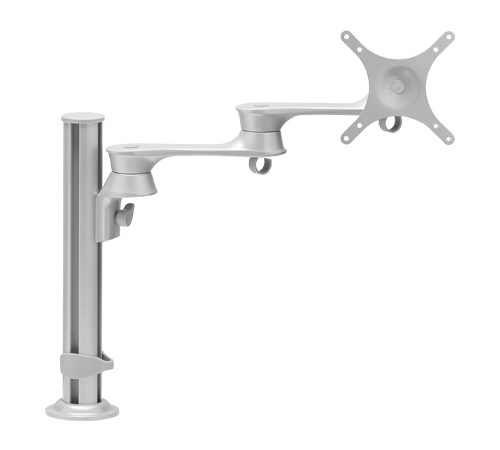
Monitor Stand
Among the best ergonomics solutions, good posture, minimal movement, less exertion and appropriate reach and height are essential to make workplaces quite efficient and productive. The position of several types of simple equipment like a monitor stand has a great influence on the workers’ health conditions and work. A monitor, without an adjustable stand, can result, at some point of time, fatigued and frustrated employees.
The work or task looks physically taxing and may result in non-performance of the job assigned. Moreover, a stiff neck is a common complaint companies get from workers today and a wrong position of the monitor will be a one of the reasons for it.
Different Types of Monitor Stands for Better Ergonomics
When it comes to ergonomics at workplace, most of the people restrict themselves by just adjusting a chair and its arms, while they hardly take care of the monitor stand’s position. Many a time, people look down at the monitor; instead of looking straight at the monitor. By not positioning your neck right, you will end up having serious neck pain due to the continual tension the neck muscles encounter.
Among the various types of monitor mount, there are monitor arms though not every monitor arm is mounted the same way. It largely depends on your requirement. In case you are looking for options, there are multi monitor stands, as well as LCD monitor stands.
How to Choose an Appropriate Monitor Stand?
For a monitor stand to meet your requirement, you need to ensure that your monitor is VESA (Video Electronics Standards Association) compatible. In other words, your monitor has standardized mounting holes on the back so that any monitor mounting stand can be screwed in. There are free-standing desk monitor mounts, which are easily attached to a monitor. They come in several options, with regard to height adjustments to help you choose a suitable one.
Where you do not want to have permanent installation, then you can go for clamp-style monitor mounts, which helps fix the monitor arm to the side of the desk. This helps use the desk space to the maximum and also allows you to clear the space under the monitor without any difficulty. The installation of these mounts are easy for all you need to do is to tighten a few bolts.
With continuous improvements in the design of a monitor stand, you can exercise your option depending on the requirement.